
So you've received your new PC, started it up, and now hear a loud sound coming from the graphics card which is concerning: a high-pitched whining or buzzing sound. This sound may be what is known as coil whine and is relatively common with many graphics cards.
| Is this only common with newer graphics card? |
| This issue can happen with any high power draw graphics card, as well as other high power draw components. This is more common with newer hardware due to increased power requirements. |
What is coil whine?
Coil whine is a high-pitched buzzing or shrieking noise that is produced by electrical components as current passes through a coil. As current passes through the coil, an electromagnetic field is formed which causes the copper wires within the coil to vibrate and cause the audible noise.
Normally, most coil whine is outside of audible spectrum for most adults but can be heard by younger users or those with sensitivity to high frequency sound.
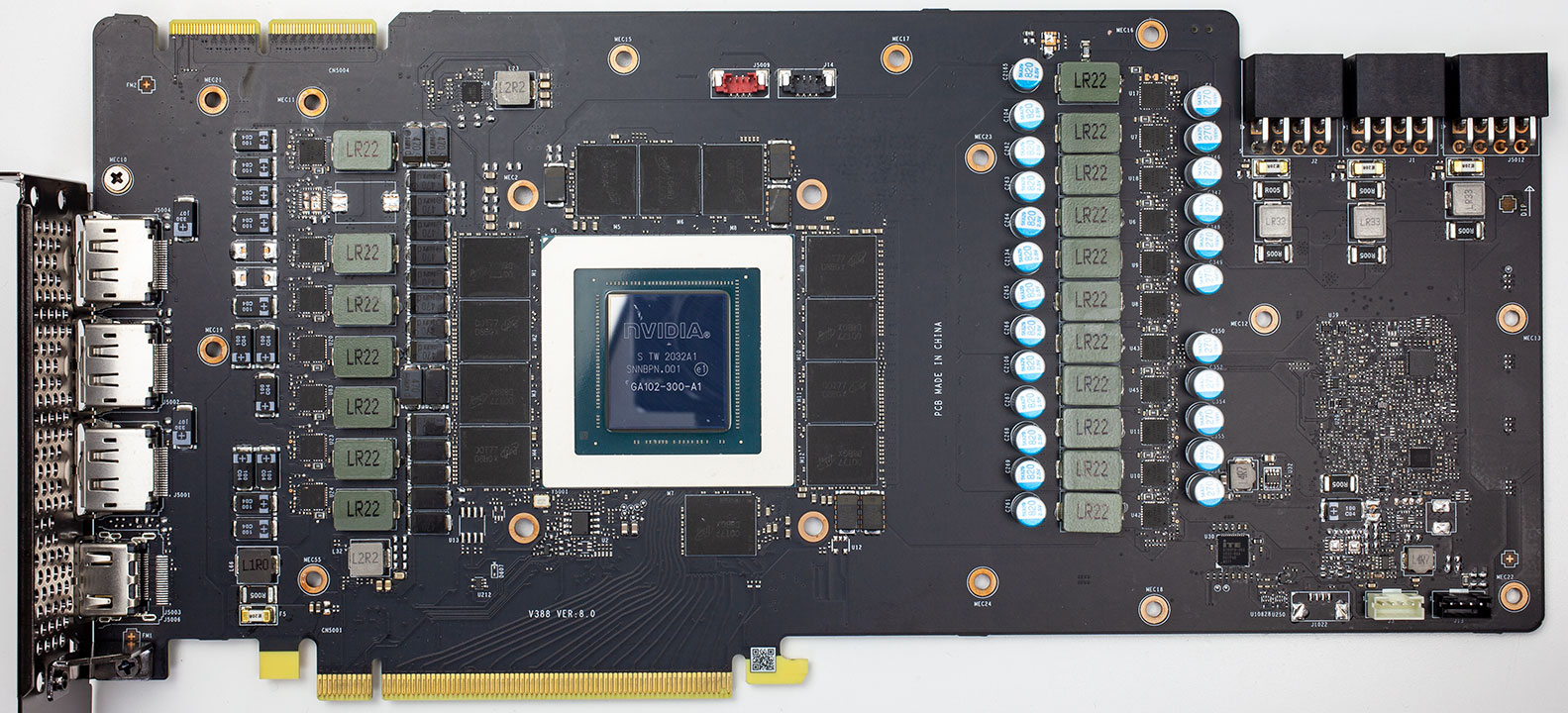
Most coil whine on a graphics card will come from the power delivery circuity, shown on the right-side of the card above.
What causes coil whine to become audible?
Generally an increase in current will cause coil whine to become more audible, but it can also be caused by unstable or "dirty" power being fed to the power supply. In these situations, the coil whine may originate with the Power Supply Unit.
One thing that can cause coil whine is placing abnormal stress on the graphics card so that it pulls additional power such as running a stress test or playing an older game with lower graphics settings to cause the graphics card to render excessively high frames.
Is coil whine dangerous, or a sign of a defect?
Coil whine is normal and generally not a sign of a defect or any imminent danger.
Will NZXT replace a graphics card that is exhibiting coil whine?
A coil whine is not a defect, it would not be covered under the 2-year limited warranty as a reason for replacement.
How can I reduce coil whine?
To reduce coil whine, we recommend the following:
- Use a UPS or Power Conditioner between your wall outlet and the PC. We generally recommend the use of a UPS with Power Conditioning or Voltage Regulation capabilities and a rating of 1300VA or higher.
- Set reasonable frame limits when playing older titles or games with lower system resource requirements (i.e. if your monitor has a refresh rate of 120hz, setting a frame limit of 240 or 360).
Comments
0 comments
Article is closed for comments.