
This guide will detail replacing the Front I/O Module on the S5 RGB and S5 RGB Deluxe cases. You will need the following:
A replacement Front I/O Module (aka USB Module)
A Phillips #0 Screwdriver (PH0)
Preparing the Case
To remove the Front I/O module, we'll need to first remove the side-panels as shown in the case manual. Grip large glass side panel using the finger grip at the rear of the case, then pull the case away from the top. Do the same for the large metal side panel as well. Removing the front glass is optional, but may make accessing the Front Panel and USB connections easier.
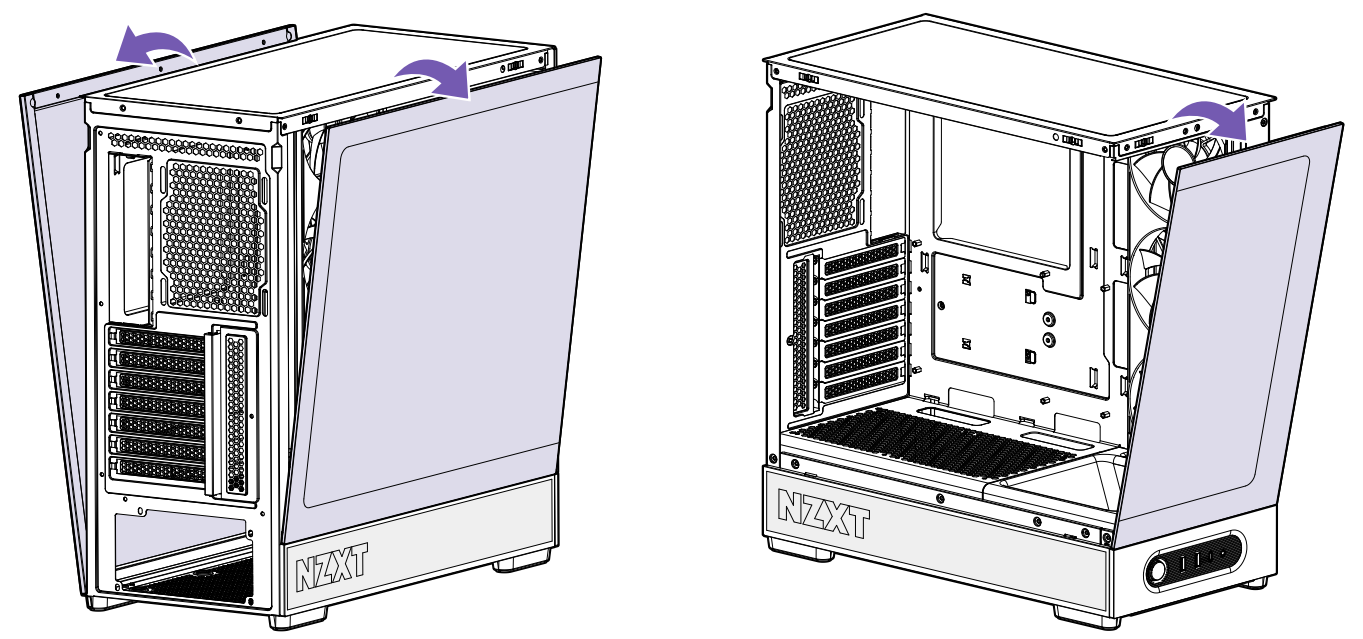 With the panels removed, disconnect the following four connections:
Front Panel (F_PANEL)
USB 3.2 Gen 2 (Type-C)
USB 3.2 Gen 1 (19-pin, Type-A)
HD Audio
Removing the Front I/O Module
To remove the Front I/O Module, place the case either upside-down or on its side to access the bottom of the case.
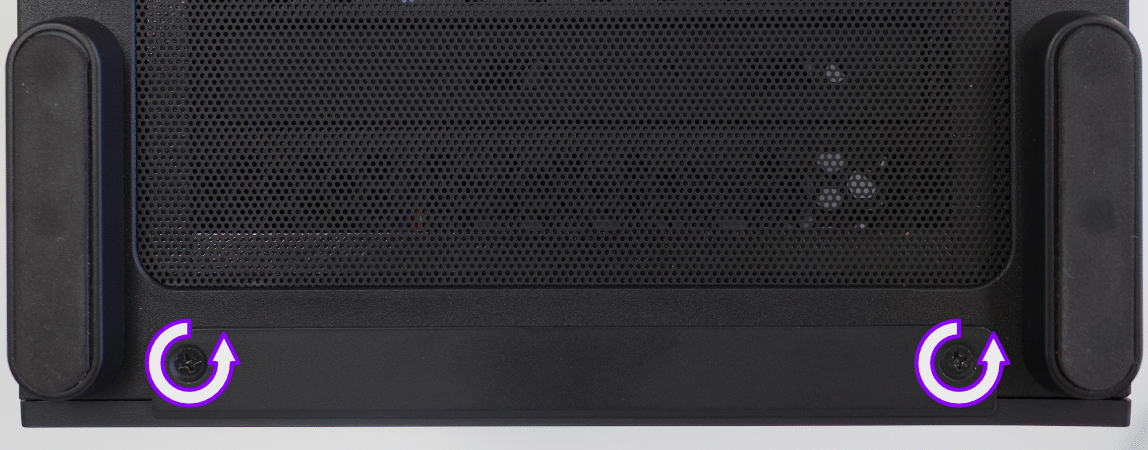
Remove the two (2) case screws shown above using your Philips #0 screwdriver.
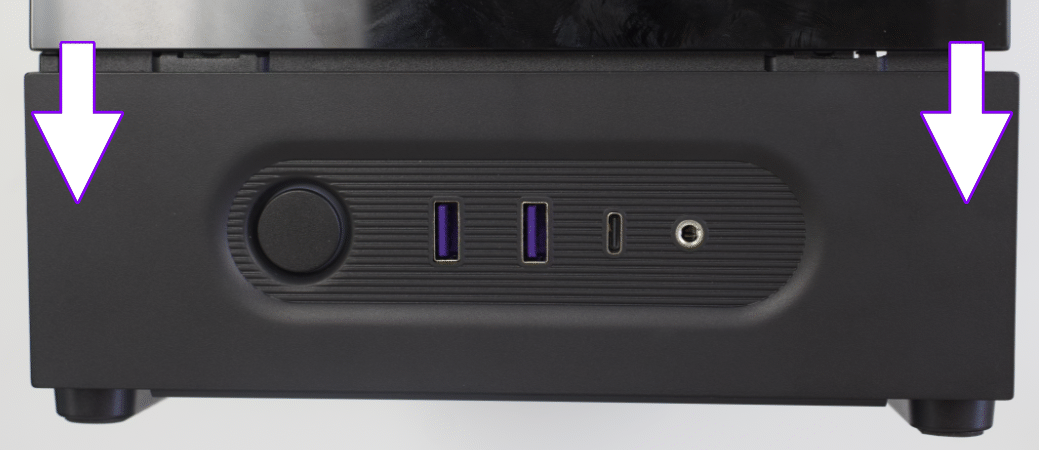 Slide the Front I/O module downwards to release it, then pull the module out of the case. To instal the new module, follow these steps in reverse order.
Comments
0 comments
Please sign in to leave a comment.